The names differ from court to court: court book, hearing bundle, trial bundle, appeal book, tender bundle. So do the details. But the work is much the same, and doing it in this order saves going back.
1. Find the rules that apply
Before anything else, read what your court asks for. That usually means three things:
- the court’s practice note or guidance on electronic bundles, such as the Federal Court of Australia’s eBooks practice note or the general guidance on e-bundles in England and Wales;
- any guide for your particular court or list;
- the orders in your matter, which come first.
Note what they say about the format, the order of sections, how pages are numbered, the index, bookmarks, searchable text and file size. Those choices shape every step that follows.
Our guides explain the rules of each of these courts, with links to the court’s own documents:
- Federal Court of Australia eBooks (GPN-eBOOKS)
- Electronic court bundles in England and Wales
- Family court bundles in England and Wales (PD 27A)
- Federal Court of Australia appeal books (APP 2)
- NSW Supreme Court court books (SC Eq 1 and SC Gen 7)
- Supreme Court of Victoria eCourt books
- Queensland eTrials: the eCourtbook and document IDs
- Irish Court of Appeal and High Court e-bundles
- Supreme Court of Canada records and Ontario appeal books
- New Zealand High Court bundles and document numbering
- Singapore High Court bundles of documents and authorities
2. Agree the contents
Agree with the other side, early, what goes in and in what order, and who prepares the bundle. Rules commonly give the job to the applicant or claimant, but check yours. Agreeing first avoids rebuilding the bundle when a document turns up late.
3. Gather the documents and make them PDFs
- Collect every document into one place, such as a folder for each section.
- Convert Word files, spreadsheets and emails to PDF. Check spreadsheets for columns cut off at the page edge, and emails for their attachments.
- Make scanned pages searchable with text recognition (OCR), so their words can be found and copied.
- Work on copies. Keep the original files exactly as they were.
Our guide to converting Outlook emails with attachments covers emails in detail.
4. Put them in order
Group the documents into sections, such as pleadings, affidavits or witness statements, correspondence and expert evidence, following your court’s order where it sets one. Within a section, date order is usual. Give each document:
- a tab number, running through the whole bundle;
- a short description, such as “Affidavit of Jordan Lee”;
- its date.
5. Write the index
Make the index a table, with a row for each document: tab, description, date and page, grouped under the section headings. Leave the page column until the pages are numbered, or fill it in from a draft and check it afterwards. Our free court bundle index template, for Word and Excel, is laid out this way.
6. Add the cover and dividers
The cover usually shows the court and registry, the file number, the parties and the bundle’s title, and often who filed it. Add a divider page before each section if your court uses them.
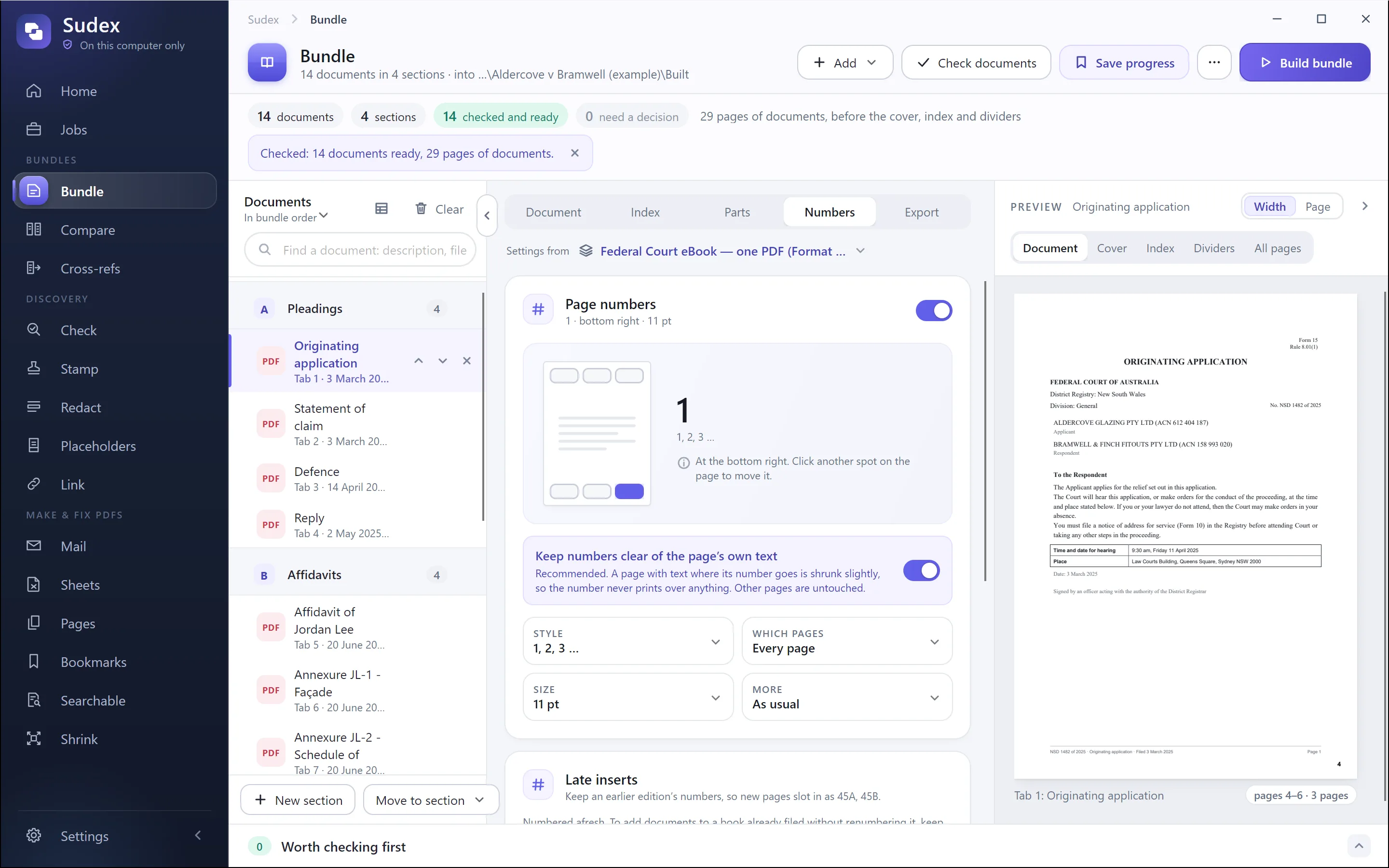
7. Page numbering (pagination)
Combine the cover, index, dividers and documents into one PDF, in order. Then number every page by computer, whatever numbering the documents already have. Courts expect computer-generated numbers, not numbers written by hand.
One run, or again in each section?
Usually one run through the whole bundle, so the number on each page matches the PDF’s own page number: “page 45” in the index is page 45 when someone types it into their PDF reader. Some courts start again in each section instead, such as A1, A2, then B1, B2.
Where the number goes
Where your court says, or else somewhere it won’t cover the page’s own text, footers or signatures, often the bottom right. Use a plain font big enough to read on screen, with letters before it if your court or firm uses them, such as CB 45.
What the courts ask
- England and Wales: from 1 on the first page, index or not, so the numbers match the PDF’s.
- Family cases in England and Wales (PD 27A): A1, B1 in each section, except in financial remedy proceedings.
- Federal Court of Australia: one sequence, independent of each document’s own numbers, and in one PDF the PDF’s page numbers match.
- Supreme Court of Victoria: from the first page, the index and cover included, matching the PDF’s page numbers.
- Singapore: at the top right of every page, the cover included, each volume from page 1.
- NSW Supreme Court, Equity Division: documentary evidence numbered consecutively, without tabs unless the Court directs; the practice notes don’t say where the number goes.
Now fill in or check the page column of the index. If the index itself has grown by a page, the numbers after it move, so check again. Our guide to paginating a court bundle goes through it step by step, including making the PDF’s own page numbers match the stamped ones.
To number one PDF now, free, use our page-numbering tool: it stamps the numbers in your browser, and nothing is uploaded.
8. Add bookmarks and links
- Add a bookmark for each section, with a bookmark for each document under it, named by tab and description.
- Link each line of the index to the first page of its document.
- Keep the bookmarks a document already has, such as its annexures, under its own bookmark if your court asks for them.
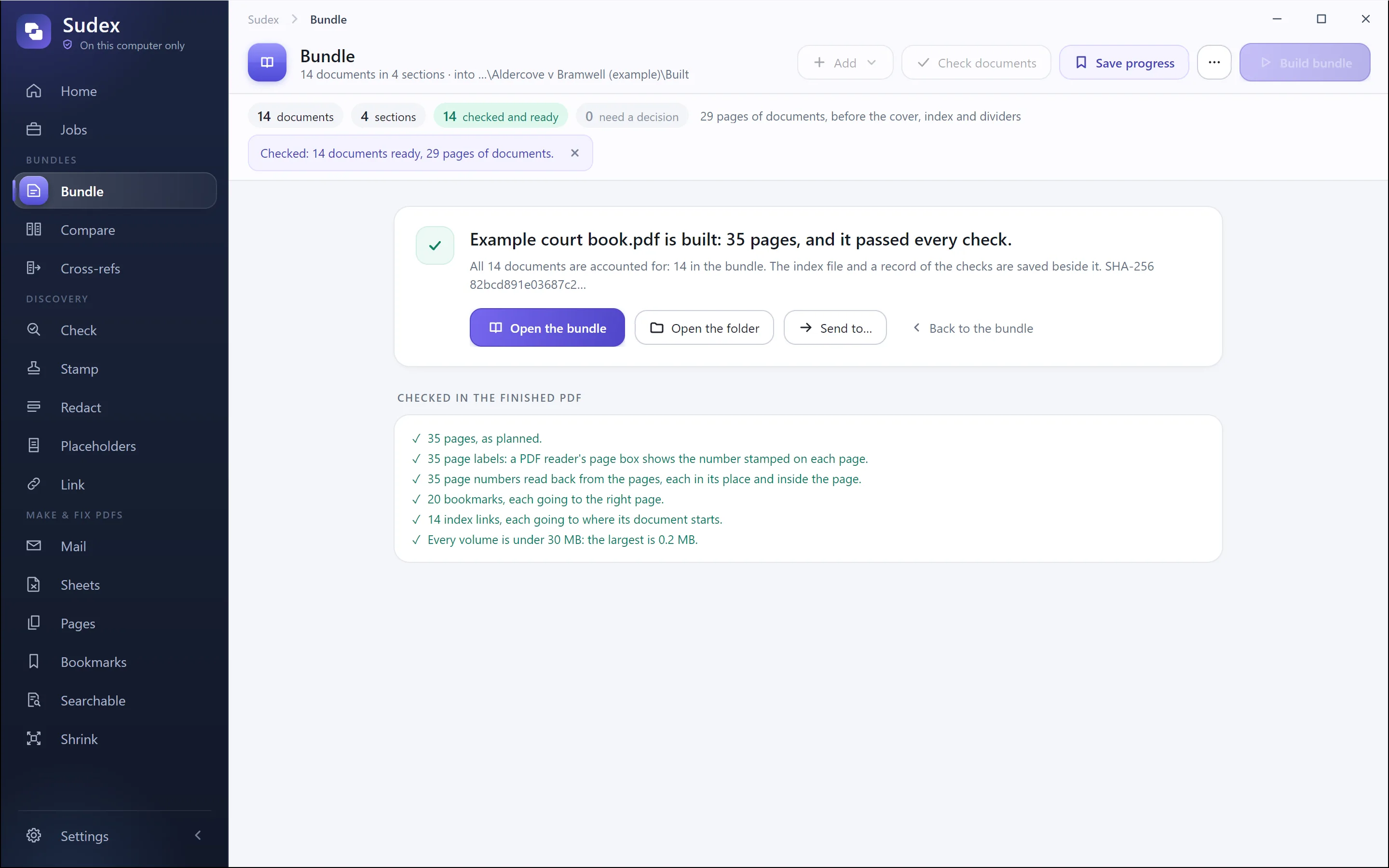
9. Check the finished PDF
Open the finished file and check it as the judge will use it:
- the number of pages is what you expect;
- every page number is there, in order, and matches the PDF’s page number;
- every bookmark and every index link goes to the right page;
- no page is sideways or upside down;
- every document you meant to include is there, once;
- the file is under any size limit for filing or email.
It is slow by hand, and the thing most often skipped. A single wrong link or page number undermines the whole index.
10. Name it and send it
Name the file as your court asks, often with the file number, a short case name and what the bundle is. Send it the way the court directs, and keep a copy of exactly what was sent. If a document has to be added later, add it in a way that doesn’t change the page numbers people have already marked up, such as numbering it 45A after page 45, or adding it at the end, as your court prefers.
With Sudex