Other tools
Four tools for the rest of the matter.
The court book is what Sudex is built around. These are separate: small, careful tools for the other documents you prepare along the way. Use them on their own, whenever you need them.
Link
Briefs counsel can click through.
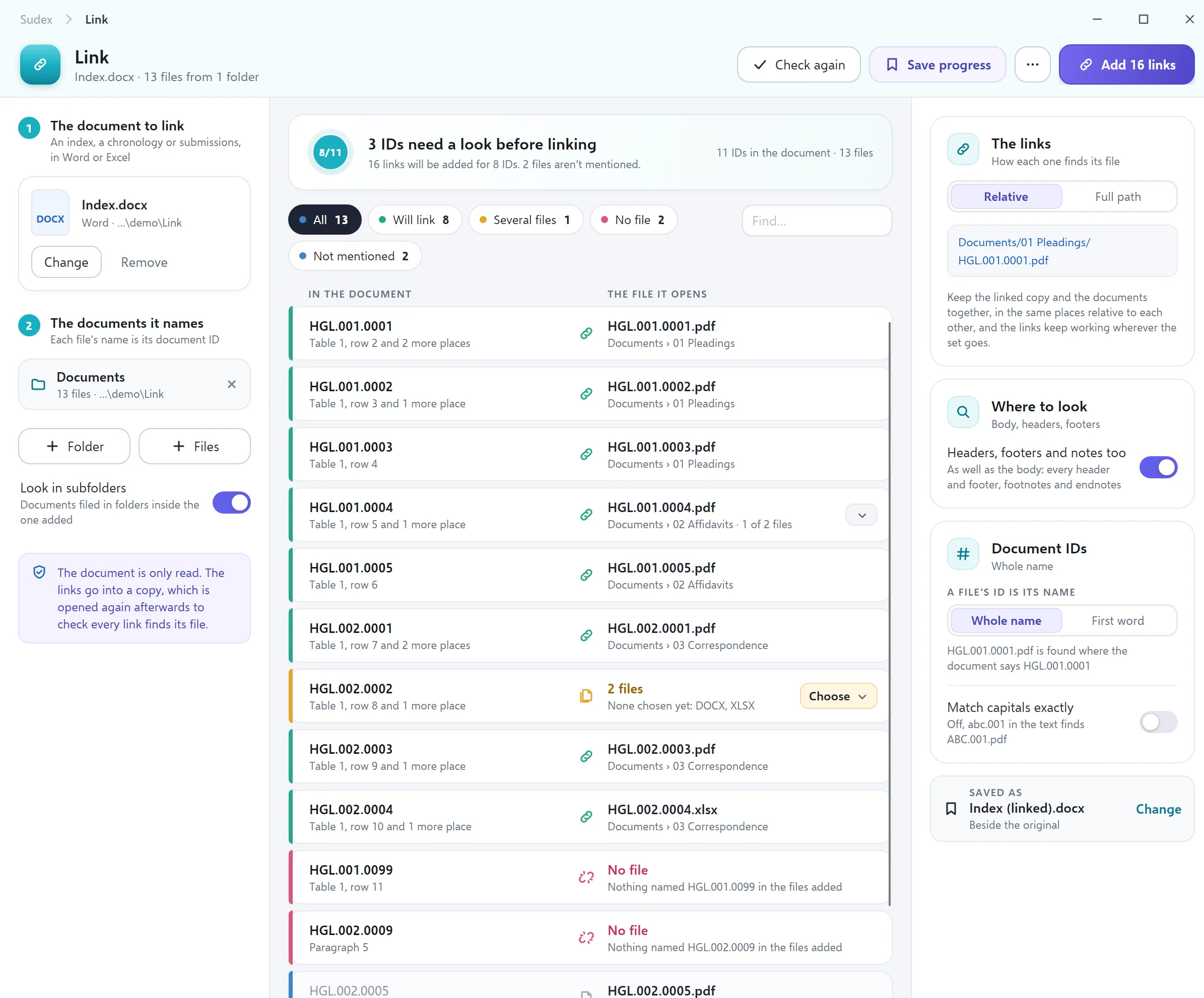
Have a brief, chronology or list of documents in Word or Excel? Point Sudex at it and at the folder of documents. Every document number in it becomes a link that opens that document — so counsel, or the other side, can go straight from the list to the page.
- Briefs to counsel
- Chronologies
- Lists of documents
How it matches
- A document’s number is its file name, or the first word of it — the way most firms already name their files
- Numbers with no file, numbers with more than one file, and files nobody mentioned are listed for you before anything is linked
- Finds numbers in tables, headers, footers and footnotes too; in Excel, only the sheets and cells you choose
What you get
- A linked copy saved beside your original; the original is not touched
- Links keep working when the brief and its documents are copied to a USB stick or shared folder together
- Sudex opens the linked copy afterwards and tries every link, so you know none are broken
Stamp
Number every page for discovery.
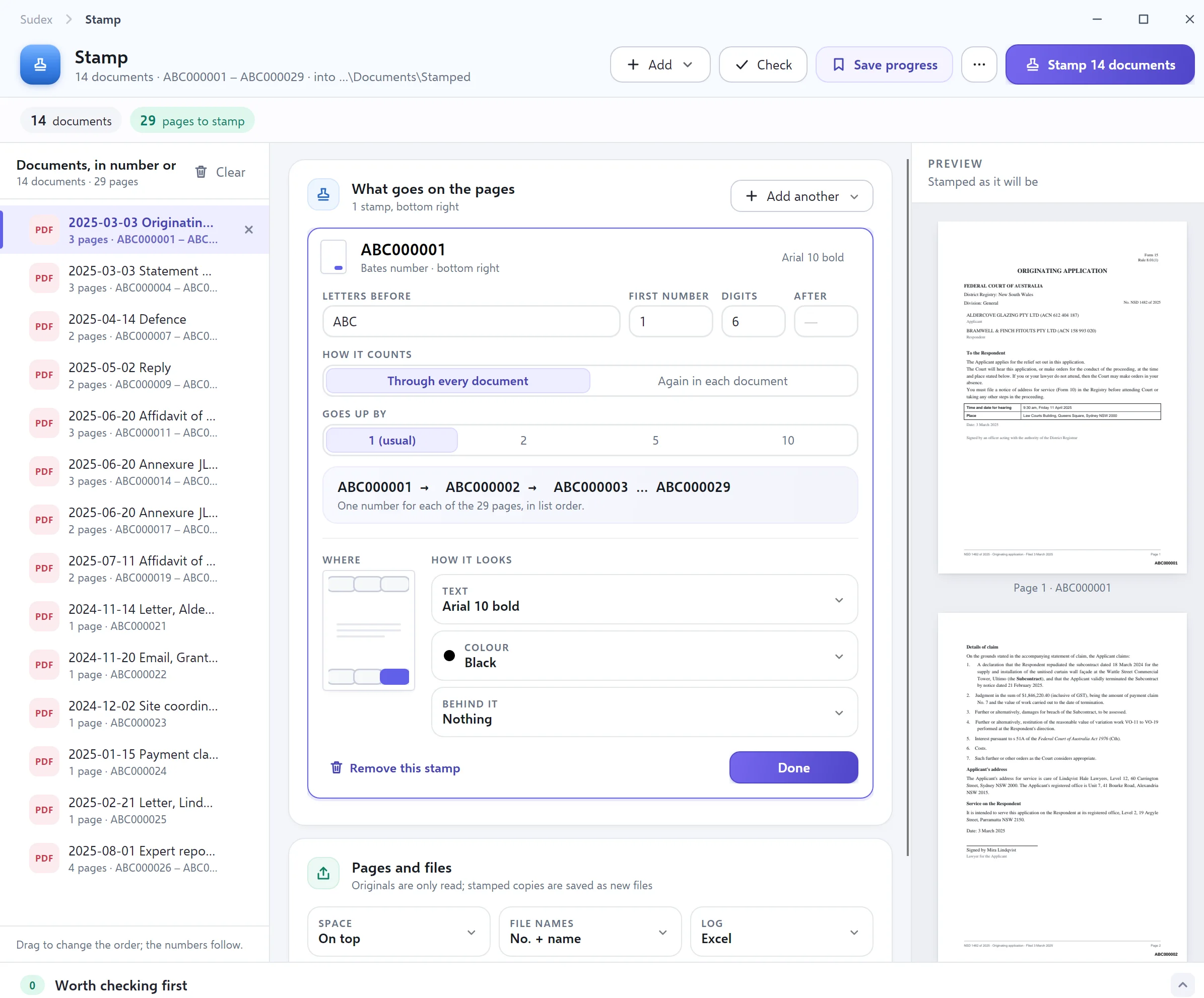
Put document numbers on a set of PDFs — the kind sometimes called Bates numbers — or page numbers, or words such as CONFIDENTIAL. You see exactly where the stamp will sit before anything is stamped, and the stamped pages are saved as new copies.
- Discovery and production
- Subpoena returns
- Marking documents confidential
What goes on the page
- Document numbers with your own letters, such as ABC000001, counting through every page
- Each document’s own number with its page, or “page 3 of 12”
- Words such as CONFIDENTIAL or DRAFT, alone or alongside a number
Afterwards
- New stamped copies, with your originals left as they were
- A spreadsheet listing each document’s first and last number, ready for a list of documents
- Every stamp is checked on its page, and if you like, pages are nudged in slightly so a stamp never covers the text
Emails as tidy PDFs, attachments included.
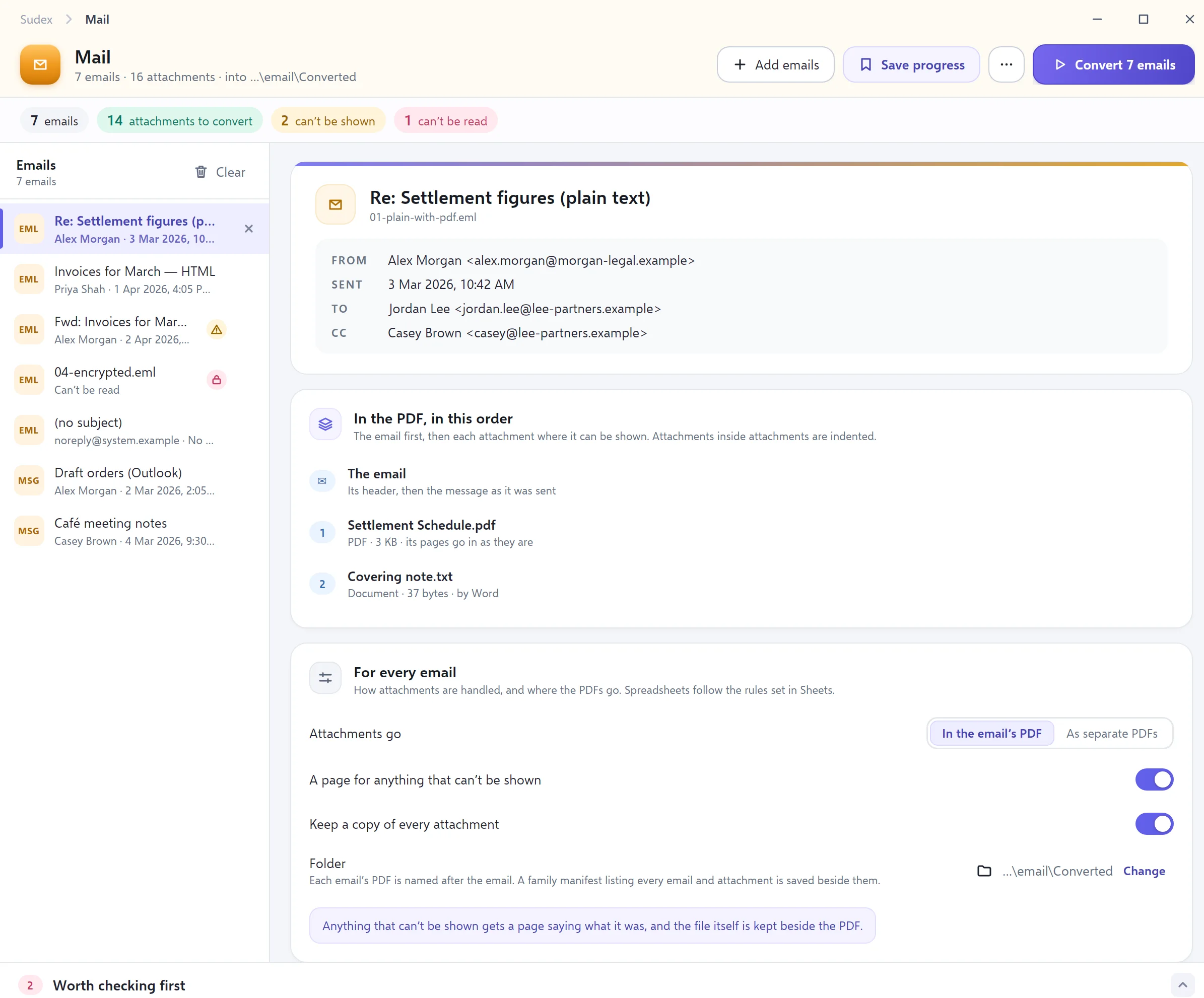
Add emails saved from Outlook. Each becomes a PDF of the message — from, to, date and subject at the top — followed by each of its attachments in order. Outlook doesn’t even need to be installed.
- Email evidence
- Affidavit annexures
- Briefs to counsel
Reading the emails
- Works with Outlook .msg files and .eml files
- Pictures in the message stay where they were; pictures from the internet are not downloaded, so no one is told the email was opened
- An email forwarded as an attachment is opened and set out too
What you get
- One PDF for each email, named after it — or each attachment as its own PDF
- An attachment that can’t be shown still gets a page saying what it was, and the file itself is kept beside the PDF
- A list of every email and attachment, in order
Sheets
Spreadsheets you can actually read on paper.
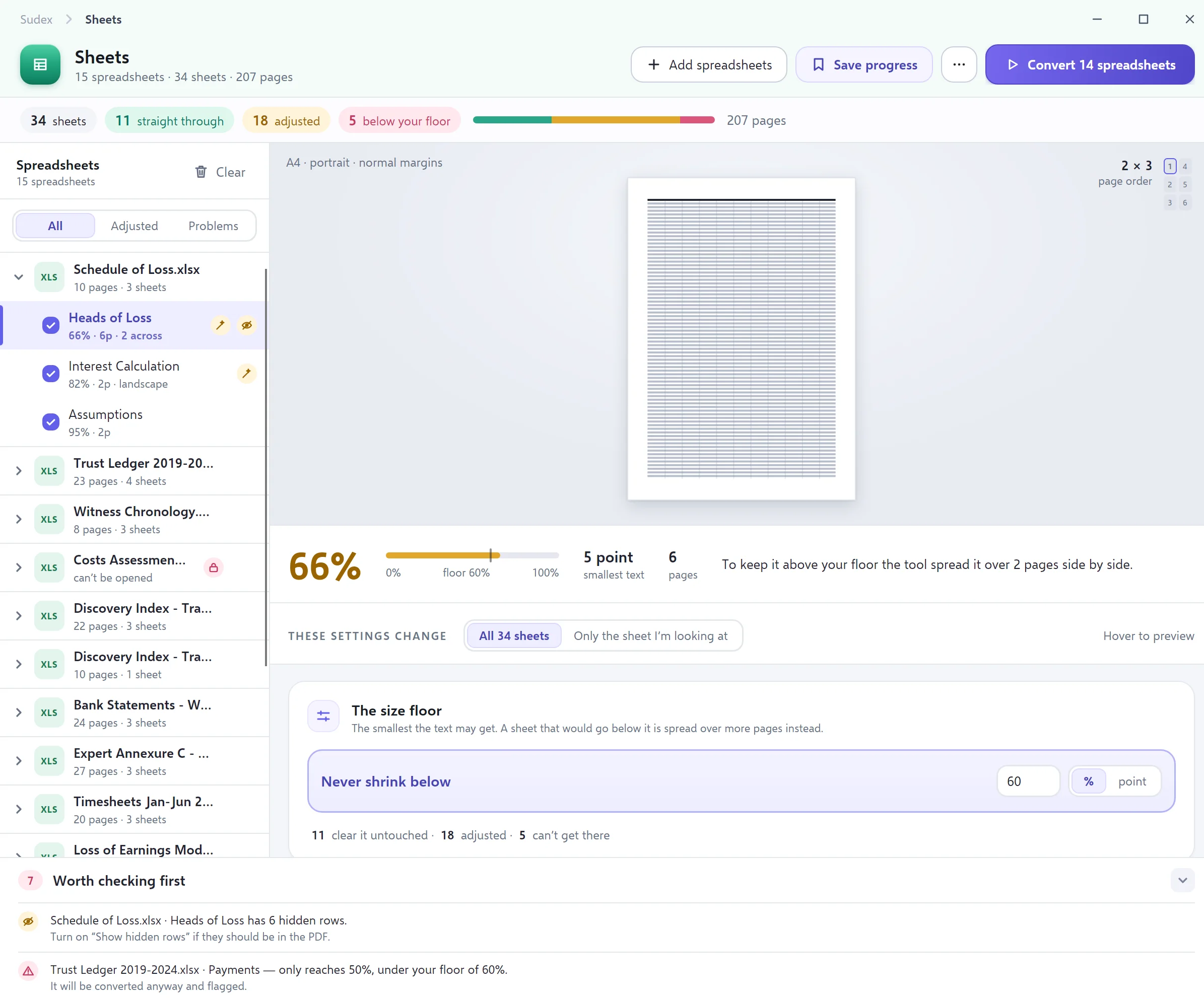
Turning a wide spreadsheet into a PDF usually means text too small to read. Tell Sudex the smallest size text may shrink to, and it spreads a wide sheet over more pages instead — then tells you which sheets it changed.
- Exhibits
- Financial records
- Schedules and tables
Readable by design
- A smallest text size you set, which Sudex won’t go below
- Heading rows repeated on every page, and columns widened so text isn’t cut off
- Paper size and orientation chosen sheet by sheet
Nothing left out
- Every sheet in every workbook is listed, with what will happen to it
- Hidden rows, columns and sheets are pointed out, and can be included
- Uses the Microsoft Excel already on your computer
In every tool
Works the same way everywhere.
Save and come back later
Save your progress in any tool, file it under the matter, and open it again exactly as you left it.
Your way, every time
Each tool remembers how you like it set up, so the next job starts the way the last one finished.
Problems shown first
Anything that needs a decision — a missing file, a document that can’t be read — is listed before you start, never discovered afterwards.
Your originals are safe
Every tool makes new files. Your originals are only ever read, and Sudex checks they are unchanged.
Your next court book, done in minutes.
Sudex is opening to a small number of firms, chambers and legal teams first. Tell us how you prepare court books today.