Two kinds of linked index
- One PDF. The index is at the front of the bundle, and each line links to the first page of its document inside the same file. This is the usual e-bundle. The judiciary’s general guidance for England and Wales asks for every index entry to be linked this way, and so does the Federal Court of Australia’s Format 2.
- Separate files. The index is its own file, and each line opens a separate document file. The Federal Court’s Format 1 works like this, so several documents can be open at once. See our guide to Federal Court eBooks.
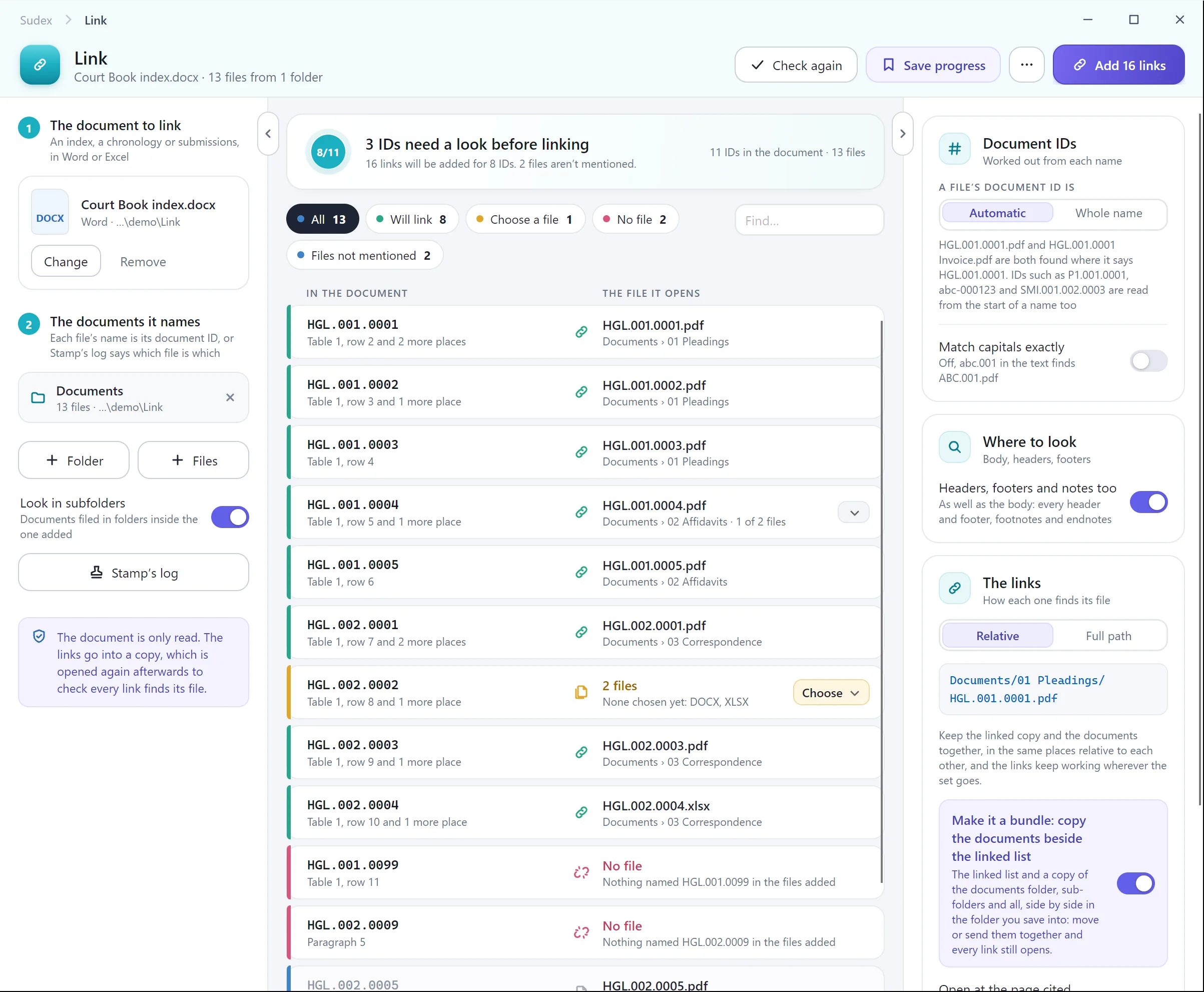
Relative links and full paths
A link to another file can record where that file is in one of two ways:
- A relative link says where the file is from the index, such as
Documents/01 Pleadings/Tab 01.pdf. Copy or move the whole folder, to a USB drive, a court portal or another computer, and the links still work, as long as nothing inside it is renamed or moved. - A full path says where the file is on one computer, such as
C:\Matters\Smith\Documents\Tab 01.pdf. It breaks as soon as the set is opened anywhere else.
For anything sent to a court or another party, use relative links. The Federal Court asks for them in Format 1.
1. Finish the bundle first
A link points to a page, not to a document. If pages are added, removed or moved after the links are made, the links land in the wrong place. Settle the documents, their order and the page numbers first, as our guide to paginating a bundle explains, and add the links last.
2. Add the links in Acrobat
Adobe’s help on adding links to PDFs sets out the steps in the current Acrobat. Menu names change between versions, and other PDF editors have a similar link tool.
- Open the bundle and select Edit. Under Add content, select More, then Link, then Add or edit a link.
- Drag a rectangle over the first line of the index. Cover the whole line, so it is easy to click.
- In the Create Link dialog, choose how the link looks. An invisible rectangle keeps the index tidy.
- Under Link Action, choose Go to a page view, then select Next.
- Go to the first page of that document, then follow the on-screen steps to set the link.
- Repeat for every line of the index.
For a long index this takes a while, and each link is a chance to point at the wrong page, so keep the page column of the index open beside you.
3. Links to separate files
To link an index to separate document files, choose Open a file as the link action instead, and pick the document. Before you start, put the index and the documents in the folders they will be sent in, because the links depend on where the files are. If your index is a Word or Excel file, Insert, then Link, links a line or a cell to a file in the same way, one at a time.
When you have finished, copy the whole folder somewhere else and try the links from the copy. If they still open the documents, they are relative.
4. Check every link
- Click every link, and confirm it lands on the first page of the right document.
- Check the links again after any change to the pages, the order or the file names.
- For separate files, test from a copy of the folder, not just from where you made it.
- Remember that bookmarks are separate from links: check those too.
With Sudex