Free download
Court bundle index template
A clean index for a court book or hearing bundle, in Word and Excel. Free to download and use, with no email asked for.
What’s in it
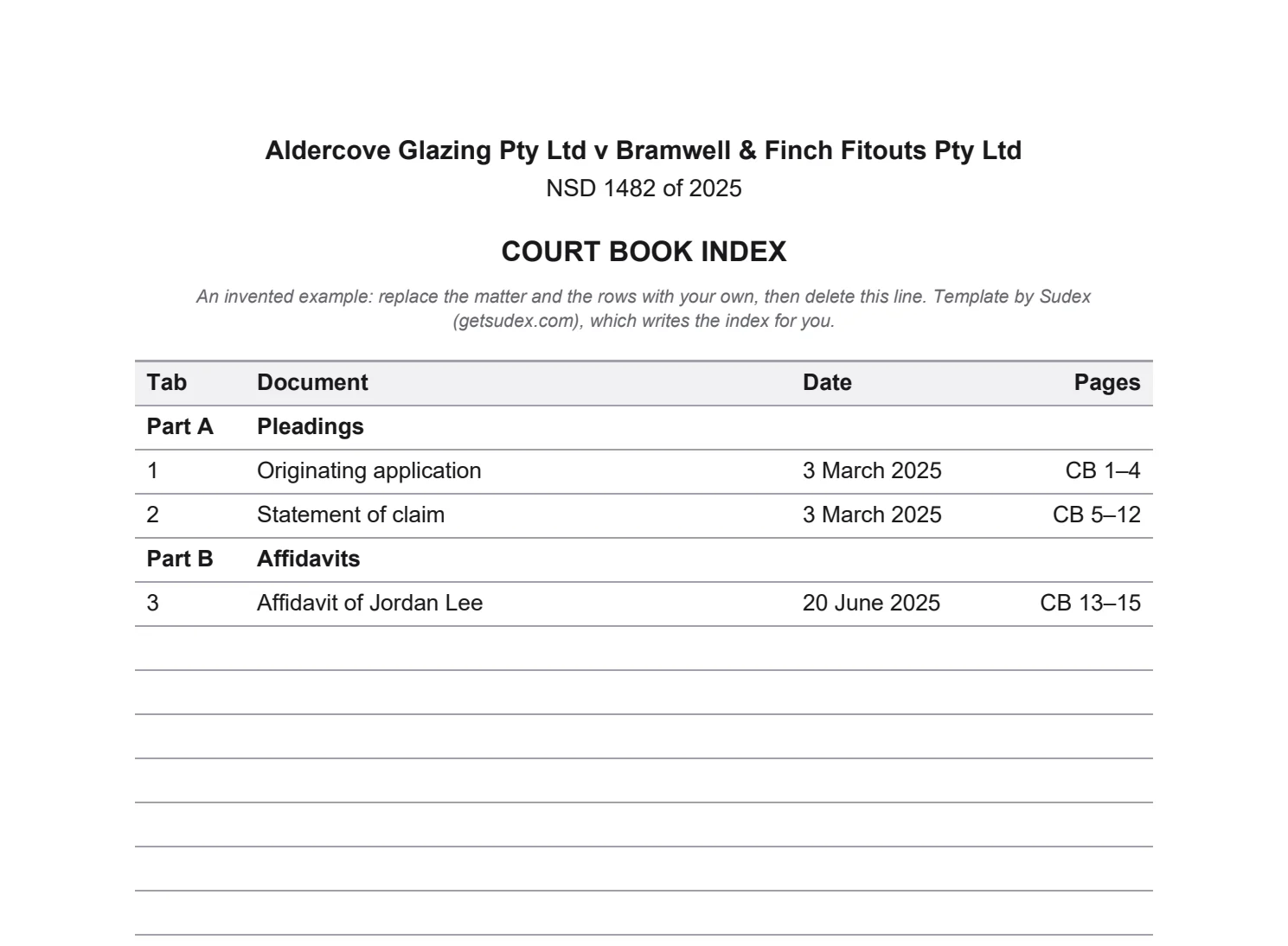
- A heading for the matter’s name and number, and the title, Court book index.
- Four columns: Tab, Document, Date and Pages, with the page range written as CB 5–12.
- Section headings across the table, such as Part A, Pleadings.
- Three example rows from an invented matter, to show the style, and fifteen empty rows.
- Column headings that repeat on every printed page, on A4.
The Word file suits an index that goes into the bundle as a page. The Excel file suits a list you keep as the bundle grows, and sorts by date.
Filling it in
- Tab
- One number for each document, running through the whole bundle, not starting again in each section.
- Document
- A short description that matches the document, such as Affidavit of Jordan Lee. Name annexures the way the affidavit does.
- Date
- The document’s own date. Within a section, date order is usual.
- Pages
- The first and last page as stamped on the finished bundle. Fill this in last, from the numbered PDF, and check again if the index grows by a page.
Your court may set the order of sections, or ask for more columns. Our guide on how to prepare a court bundle covers the index step by step, and the court guides say what each court asks. To stamp the page numbers on the finished PDF, use the free page-numbering tool.
Or let Sudex write the index
Sudex builds the whole court book from a folder: cover, index, dividers, page numbers, links, and a check of every page. The index is written from the finished book, so every page number matches, and every line opens its document.