Why it matters
A court book is often re-issued: a document is added, an amended pleading replaces the old one, a duplicate comes out, or the order changes. Every change after it can move pages. Submissions, chronologies, witness statements and counsel’s notes written to the earlier edition then point to the wrong pages, and nobody can see that from the new index alone.
The best fix is not to renumber at all: slot late documents in as 45A and so on, or add them at the end. See our guide to adding a late document without renumbering. When a new edition is renumbered anyway, compare it with the old one.
1. Keep both editions
Keep the earlier edition exactly as it was served or filed, and don’t overwrite it with the new one. Work from copies of both. If either is locked with a password, get an unlocked copy.
2. Compare the indexes
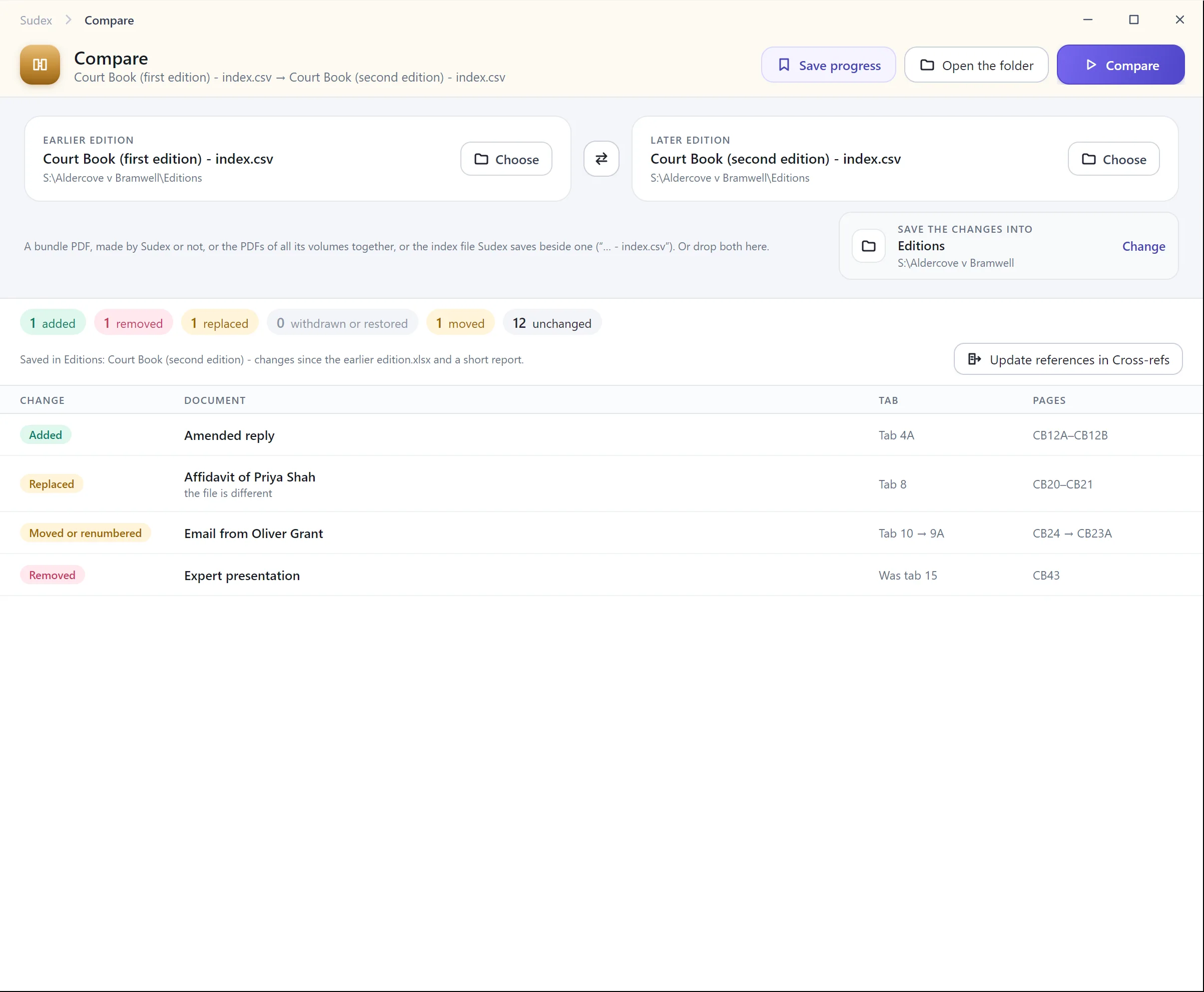
Copy both indexes into a spreadsheet, side by side, one row per document. Then mark each document:
- Added: in the later edition only.
- Removed: in the earlier edition only.
- Replaced: in both, but with different content, such as an amended or signed version.
- Moved or renumbered: the same document at a different tab or pages.
- Withdrawn: still listed, but marked withdrawn or left as a placeholder page.
- Unchanged: the same document at the same tab and pages.
Match documents by what they are, not by their tab number: a document that moved from tab 10 to tab 9A is the same document.
3. Check documents that look the same
The same description in both indexes doesn’t mean the same document. For each document that looks unchanged or moved, compare its page count and its first and last pages. Where it matters, compare the text. In Adobe Acrobat Pro, open both versions of the document and choose Compare files from All tools: it opens a report of the changes, with a summary first and the two versions side by side.
4. Make a page concordance
For every document in both editions, write down its first and last page before and after. From that, make a table of every old page and the page it is now. Within a document that moved without changing, the shift is the same for every page: if it ran from page 120 to 135 and now starts at 128, every page moved up by 8. For a replaced document, check the pages one by one, as the shift may not hold.
Mark pages that no longer exist, so a reference to a removed document is caught rather than pointed somewhere new.
5. Update references and tell people
- Use the concordance to update page references in submissions, chronologies, lists of issues and witness statements.
- Send a short note of the changes with the new edition, so counsel, the other side and the court don’t have to work it out again.
- Keep the earlier edition and your comparison on the file.
With Sudex