Why black boxes fail
A PDF page is built in layers. A black rectangle drawn with a comment or shape tool, a black highlight, or black highlighting in Word before saving as PDF, sits on top of the words. The words are still in the file, so they can often be selected, copied, found by search, read aloud by a screen reader, or shown again by moving or deleting the box. Adobe lists text covered by other content among the hidden information a PDF can hold.
Redacted words can also survive elsewhere in the file: in a bookmark’s title, a comment, an attachment, the document’s properties, or a hidden layer.
1. Decide what to redact, and why
Go through every page yourself and mark what must not be seen, such as privileged advice, or personal information like addresses and account numbers. For each one, note the ground. A search can help you find repeated names and numbers, but it can’t find words in a scan that has no text, so read the pages.
2. Work on a copy
Redaction is permanent once applied and saved, so redact a copy and keep the original exactly as it was, for your file and for anyone who needs to see the unredacted version.
3. Redact with a redaction tool
Use a tool built to redact, which removes the text and images under each box. In Adobe Acrobat Pro, which has redaction where Acrobat Standard doesn’t, Adobe’s help on redacting sets out the steps:
- Choose All tools, then Redact a PDF, then Redact text and images.
- Drag over the text or image to remove.
- Select Apply. The dialog that opens also offers to sanitise the document and remove hidden information.
- Save the redacted copy under a new name.
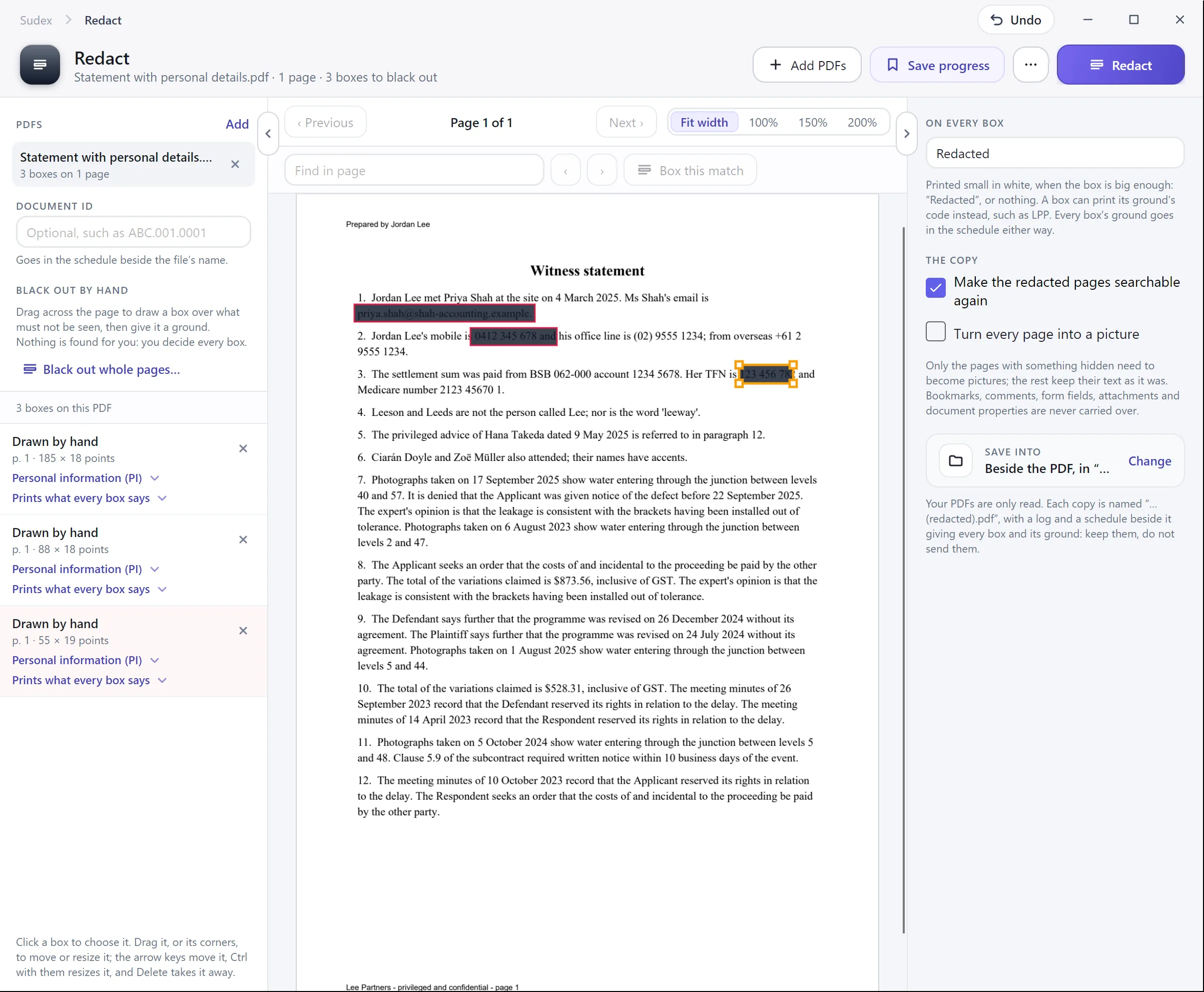
For a name or number that appears many times, Find text and redact, under Redact a PDF, searches for words or patterns and marks every match for redaction. Set Properties chooses the colour of the boxes and any words printed on them, such as a code for the ground.
4. Remove hidden information
Adobe’s help on redacting and sanitising says redaction removes only visible text and graphics, and hidden data, such as metadata or embedded content, must be sanitised separately. In Acrobat Pro, Sanitize document is under Redact a PDF: remove everything, or choose what to remove.
Hidden information can include the document’s metadata, file attachments, bookmarks, comments, form field data, hidden text and layers, a search index, links and scripts. Bookmarks deserve a look of their own: a bookmark titled with a privileged document’s name repeats what the page redaction hid.
5. Check the redacted copy
- Search the copy for each redacted word, name and number. Nothing should be found.
- Try to select and copy text where each box is. Nothing should come out.
- Check the page count against the original.
- Look at the bookmarks, comments, attachments and document properties.
- Open the copy in a different PDF reader as well, and zoom in on the boxes.
6. Keep a schedule and send only the copy
Keep a schedule of every redaction: the document, the page and the ground. It records what was done and supports any claim of privilege you have to explain. Send only the redacted copy, and keep the original and the schedule on your file. See the glossary for the terms.
With Sudex