What a Bates number is
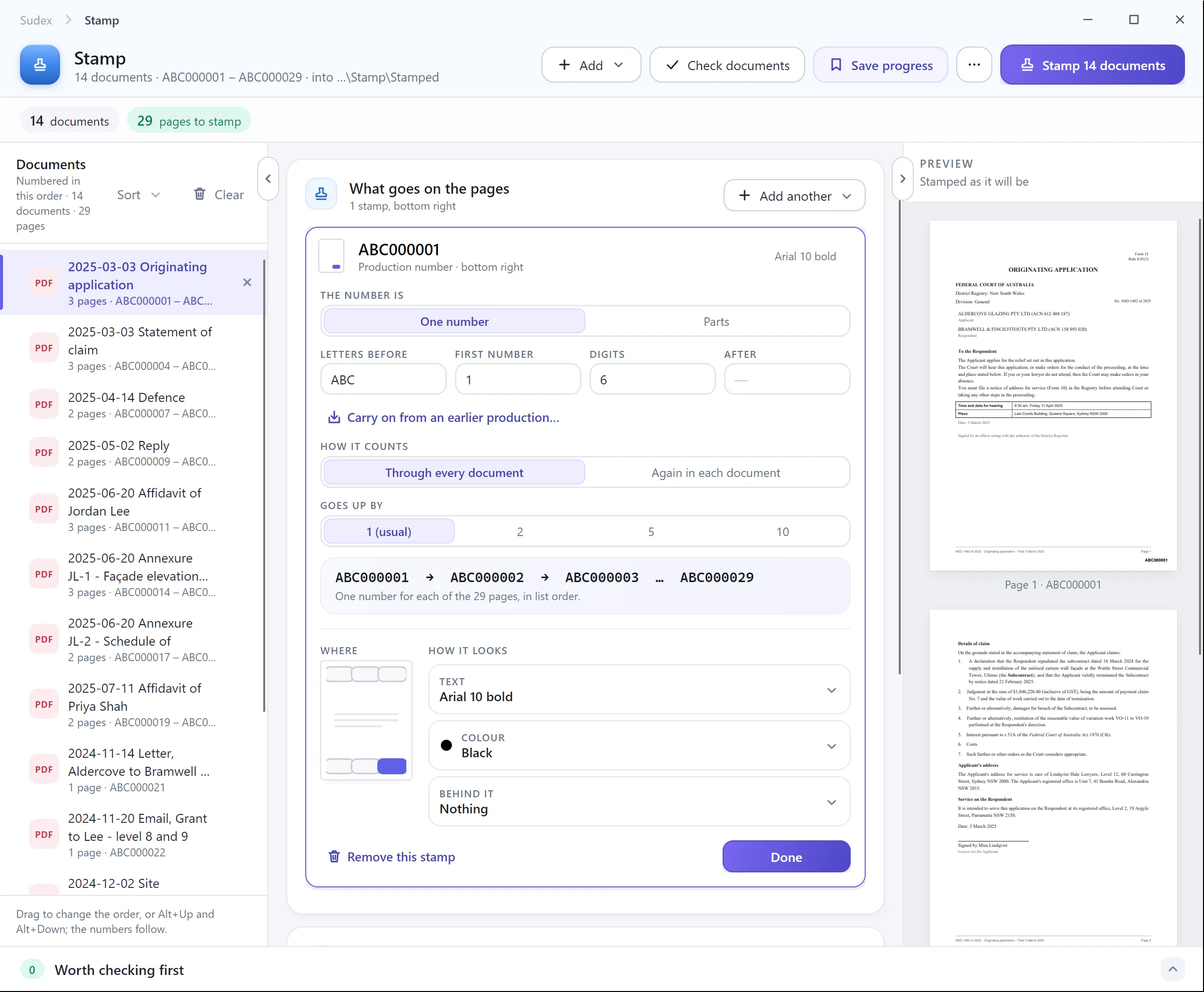
A Bates number is a unique identifier stamped on every page of a set of documents, usually when they are produced in discovery or disclosure. It is normally a few letters followed by a number with zeros in front, such as ABC000001, and it runs in one sequence through the whole production. Each page then has an address: “ABC000245” means one page, and only one.
Some courts and discovery protocols use a document ID instead, made of several parts, such as a party code followed by box, folder and page numbers. If yours does, follow its format exactly.
1. Plan the numbers
Decide these before you stamp anything, and agree them with the other side if your protocol asks you to:
- The letters before the number. Often a short code for the party or the matter.
- How many digits. Enough for every page you might produce in the matter, so every number has the same length and sorts in order. Six digits run to 999,999 pages.
- The first number. 1 for a first production. For a later one, the next number after the last production ended.
- Where it goes. Usually the bottom right, small, in a plain font, clear of the page’s own text.
2. Put the documents in order
- Convert everything to PDF first: emails with their attachments, Word files, spreadsheets.
- Put the files in the order they are to be numbered, often by date or by custodian, as your list will show them.
- Work on copies, so the originals stay exactly as they were.
Get the order right now. Changing it after numbering means numbering again.
3. Number the pages
Acrobat Pro has Bates numbering, but you don’t need it. Other PDF editors have their own: PDF-XChange Editor, for example, has Bates Numbering on its Document tab. With a Bates tool:
- Add all the files, in order.
- Enter the letters, the number of digits and the first number.
- Choose the position, margin and font.
- Run it, saving the numbered copies to a new folder.
If your editor only has header and footer page numbering, you can still do it file by file: give the first file its numbers, note the last one, and start the next file one after it. It works, but every file is a chance to slip, so check carefully.
4. Check them
- Open each numbered file and check its first and last number against the one before.
- Check there are no gaps and no repeats across the whole set.
- Check no number covers text, a signature or a date. A white box behind the number keeps it readable, but hides whatever is under it, so use one with care.
- Check landscape pages have the number where you expect it.
5. Keep a log
Make a list with a row for each document: its file name or description, its first and last Bates number, and its page count. You will need it for the list of documents, to answer questions about a page, and to carry on numbering in the next production.
With Sudex